What makes a video look professional? 6 key factors explained.
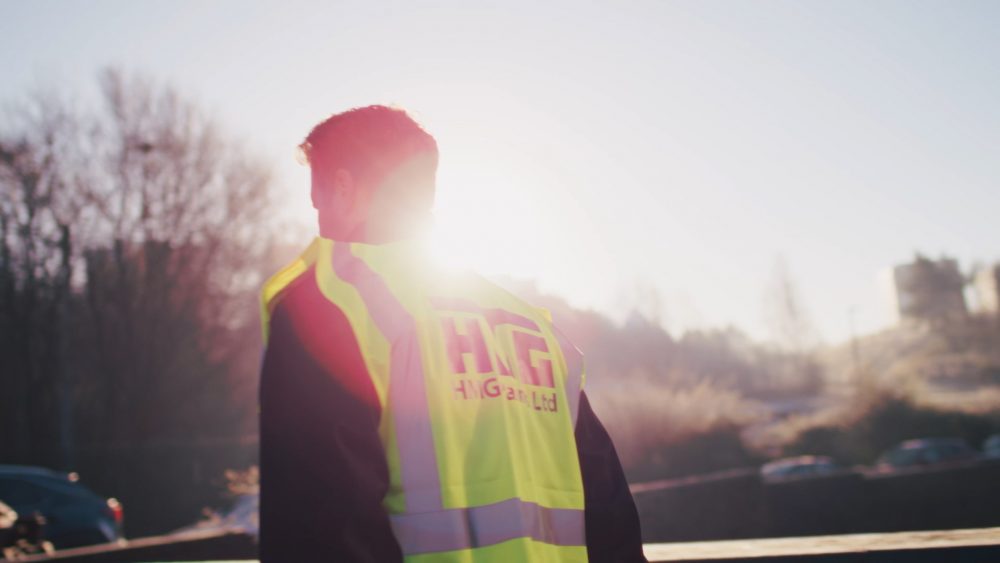
When it comes to video production, the quality of your content is hugely important. Wobbly cameras, dodgy audio and sketchy lighting can go a long way in reducing how engaging your content actually is. In this blog post, we’ll detail a few tips and tricks that help to produce a more professional output, helping you to learn how corporate video production works, and ultimately giving you the tools to elevate your brand’s video content.
And don’t worry, it’s not all about having expensive kit – there are top tips in here that transpire to shoots done on your phone, too.
Lights, camera, action!
First up, let’s talk about lighting.
Depending on where you’re shooting, it can sometimes be tricky to get your lighting consistent, especially if you’re filming outdoors.
If it’s a particularly bright day and you need to film your content out and about, use a scrim to diffuse bright sunlight. You can buy them in a variety of sizes, and can be purchased with or without a stand.
When you’re inside and filming interview footage or someone talking to camera, it’s a good idea to use a popular lighting technique called a three point lighting set up. This keeps your subject nicely lit while keeping a handle on the level of shadow. As the name suggests, this set up consists of three components:
- The key light (the main one used to light your speaker)
- The fill light (to manage the level of shadow)
- The backlight (so your speaker doesn’t blend into your background)
The final point on lighting is to make sure you’re using top quality products. To quote our founder Alex, “300Ds are the bee’s knees”.
Sound it out
There’s nothing more annoying than dodgy sound quality on a video. Here are our top tips to avoid too much background noise, muffled talkers and random rustling noises.
First up – if it’s a windy day, use a dead cat. If you’re not sure what that means, it’s one of those fluffy things that goes on a mic to help prevent it from picking up wind noise.
Secondly – always, always use a back up mic. If the first fails for whatever reason, there’s no amount of post production editing that’ll get your audio back, so always have a back up mic particularly when you’re shooting interviews or long form content.
Speaking of post production, there is a lot you can do to edit audio footage after the shoot. Tools like Adobe Audio Enhance can be really handy, particularly if you’ve not been able to have full control over your filming environment.
It’s all in the composition
The way you stage your shots can go a long way in helping to create a professional-looking finished cut. When you’re setting up your frame, always remember the rule of thirds.
If you’re not familiar with the term, let us explain. Imagine a grid on your viewfinder or monitor, splitting it into three columns and three rows with two vertical and two horizontal lines. These lines provide a great guide for where to place the main events you’re shooting. Match them up with these lines instead of having them in the centre of the frame for a more interesting and balanced composition.
The lines also help you to balance the background – you can align things like landscapes with the horizontal line, or door frames, lamp posts etc with the vertical.
Once you’ve got your composition sorted, you can also mix up the lenses you use to create a more dynamic edit. For example, for establishing shots, you might use a wide lens, whereas if you want to create focus and attention to detail, you’d shoot quite tight – this can be a great way to emphasise the feeling of the narrative.
Get your story straight
Regardless of what kind of content you’re filming, it’s a good idea to have a plan. Think about what you’re going to say, whether you can learn it off by heart, or if you could really use a teleprompter.
If you’re filming in multiple locations, plan your shoot so you’re only setting up in each location once – setting up and packing down takes longer than you think, so minimise this time where you can.
The planning stage is where you should also get your permits and permissions sorted – usually from the land or building owner if it’s a private property, or the council if you’re filming in public.
It’s all in the pace
When it comes to editing your content, we know front-loaded videos work best for how users consume video on certain platforms, so if you’re making social media videos, remember to pick up the pace and keep it quick. Make sure your content gets to the point quickly, and your best bits are at the beginning.
For something more storytelling, here’s where you can let your scenes breathe a little, and play around with a steadier pace.
Be your brand
Finally, make sure you keep all your content consistent. Your brand should be recognisable, throughout everything you do, so make sure you’re consistent with your colours, your logo and your fonts.
And that’s how to make your content look professional! Whether you’re shooting on a fancy camera or a smartphone, a few tips and tricks to keep things consistent can go a long way. And of course, choosing the right video partner can help you achieve all this, leaving you free to concentrate on other areas. If you’re interested in producing professional video content, get in touch with us today to start the conversation.